⏱ 8 min read
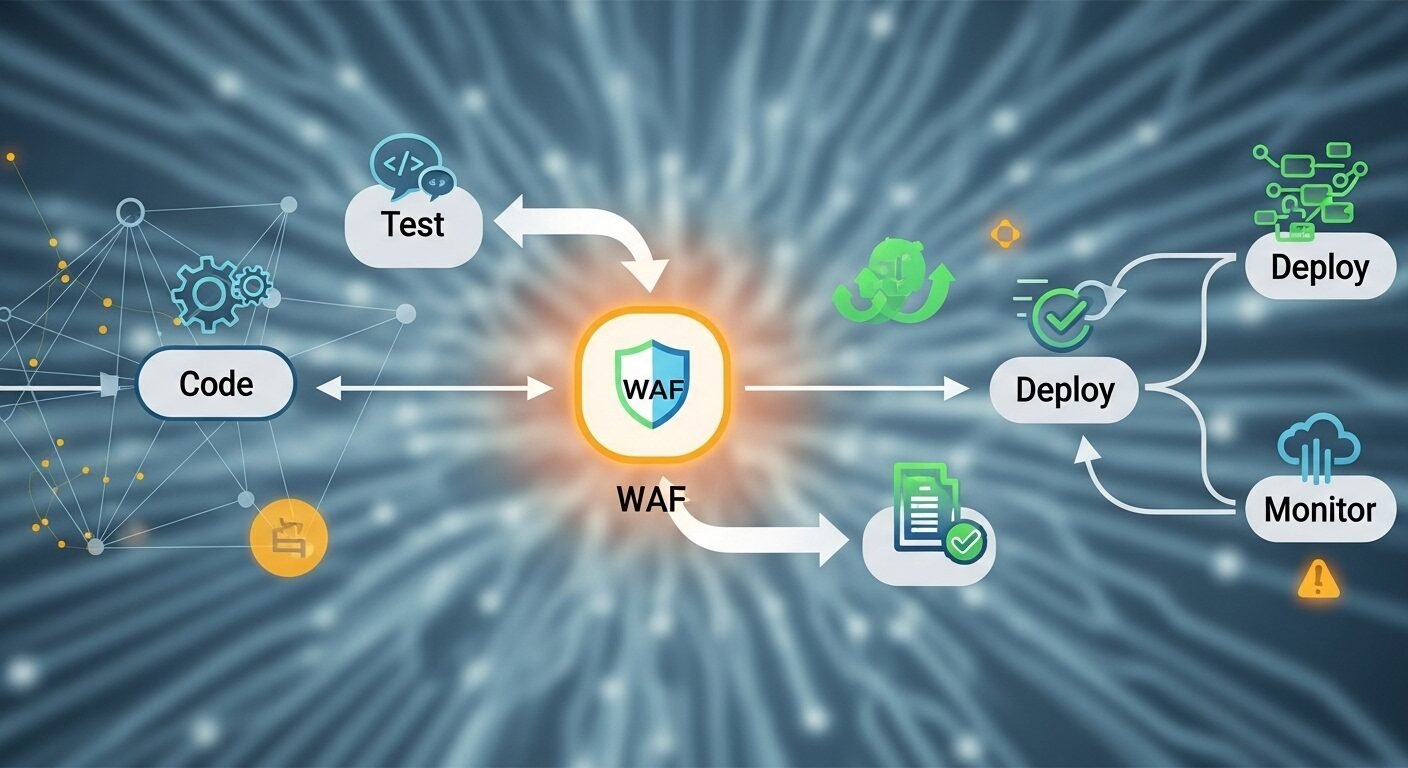
Integrating a Web Application Firewall (WAF) into a DevOps pipeline automates security, embeds protection directly into the CI/CD process, and ensures applications are shielded from threats like SQL injection and cross-site scripting from the moment they deploy. This approach, often called WAF DevOps implementation, shifts security left, making it a shared responsibility between development and operations teams. According to industry data, organizations that automate security in their pipelines experience significantly fewer breaches and faster remediation times.
Key Takeaways
- Integrating a WAF into DevOps automates security and speeds up threat response.
- Choosing the right WAF tool depends on your cloud environment and application architecture.
- Security as Code principles allow you to manage WAF rules alongside application code.
- Continuous monitoring and testing are critical for maintaining effective WAF protection.
- A successful implementation requires collaboration between security, development, and operations teams.
- Automated WAF deployment reduces human error and ensures consistent security policies.
What is WAF Integration in DevOps?
WAF DevOps implementation refers to the process of embedding a Web Application Firewall directly into the continuous integration and continuous delivery (CI/CD) pipeline. This approach treats security configurations as code, allowing automated deployment, testing, and management of WAF rules alongside application updates, ensuring protection is consistent and always up-to-date.
WAF integration in DevOps means treating firewall rules and security policies as infrastructure code. This allows teams to version control security configurations, test them automatically, and deploy them consistently across environments. The standard approach is to use tools like Terraform, Ansible, or cloud-native services to define WAF rules programmatically.
Experts in the field recommend this integration to prevent security from becoming a bottleneck. When WAF management is automated, security teams can focus on policy creation while development teams maintain deployment velocity. Research shows that automated security implementations reduce configuration errors by up to 70%.
This methodology aligns with the DevSecOps philosophy, where security is a shared responsibility embedded throughout the application lifecycle. The Web Firewall Online platform supports this approach with API-driven management and infrastructure-as-code templates.
Why is a WAF Critical for Modern DevOps?
A WAF is critical for modern DevOps because it provides automated, real-time protection against application-layer attacks. Continuous deployment pipelines require continuous security that adapts as quickly as code changes. Traditional security models cannot keep pace with daily or hourly deployments.
Modern applications face sophisticated threats that evolve constantly. A WAF integrated into DevOps provides immediate protection against new vulnerabilities, even before patches are available. This is particularly important for zero-day exploits where response time is measured in hours.
Compliance requirements also drive WAF adoption. Regulations like PCI DSS, GDPR, and HIPAA mandate specific security controls that a properly configured WAF can help satisfy. Automated WAF deployment ensures these controls are consistently applied across all environments, reducing audit findings.
Performance monitoring is another benefit. Integrated WAFs provide visibility into attack patterns and application behavior, feeding valuable data back to development teams. This creates a security feedback loop that improves both application resilience and developer awareness.
How to Choose the Right WAF for Your Pipeline
Choosing the right WAF depends on your specific DevOps environment and security requirements. The optimal WAF solution balances automation capabilities, integration options, and management overhead. Cloud-native WAFs typically offer the easiest integration with modern CI/CD tools.
Consider your application architecture first. Containerized applications might benefit from a WAF designed for Kubernetes environments, while traditional monolithic applications might work better with a reverse proxy WAF. API-heavy applications need WAFs with strong API protection features.
Evaluate the WAF’s automation capabilities. Look for comprehensive APIs, infrastructure-as-code support, and compatibility with your existing CI/CD tools like Jenkins, GitLab CI, or GitHub Actions. The WAF should allow rule deployment through code commits rather than manual configuration.
Management complexity varies significantly between solutions. Some WAFs require extensive tuning and maintenance, while others use machine learning to adapt automatically. According to industry data, organizations prefer WAFs that reduce manual intervention while maintaining high accuracy.
| WAF Type | Integration Ease | Automation Level | Best For |
|---|---|---|---|
| Cloud-Native (AWS WAF, Azure WAF) | High | High | Cloud-only deployments |
| API-Based (Cloudflare, Akamai) | Medium-High | Medium-High | Hybrid or multi-cloud |
| Open Source (ModSecurity) | Medium | Medium | Custom security needs |
| Container-Based (Signal Sciences) | High | High | Kubernetes environments |
Step-by-Step Guide to Implementing WAF in DevOps
Implementing a WAF in DevOps requires careful planning and execution. Start with a pilot project to validate the approach before full-scale deployment. This minimizes disruption while proving the value of automated WAF management.
- Assess Your Current Pipeline: Document your existing CI/CD workflow, identify integration points, and evaluate current security controls. Determine where WAF rules should be applied and tested.
- Select and Configure Your WAF Tool: Choose a WAF that supports your deployment model. Configure initial rule sets based on OWASP recommendations and your application’s specific requirements.
- Create infrastructure-as-code templates for WAF deployment. Use tools like Terraform or CloudFormation to define rules, whitelists, and security policies as version-controlled code.
- Integrate into CI/CD Pipeline: Add WAF deployment stages to your pipeline. Include security testing that validates WAF configurations before they reach production environments.
- Implement Monitoring and Feedback: Set up logging and alerting for WAF events. Create dashboards that show security metrics alongside deployment metrics for complete visibility.
- Establish Maintenance Procedures: Define processes for updating WAF rules, responding to false positives, and tuning security policies based on application changes and threat intelligence.
Each step should include collaboration between security, development, and operations teams. Regular reviews ensure the implementation remains effective as applications and threats evolve. Document everything to support knowledge sharing and onboarding.
Best Practices for WAF DevOps Success
Following established best practices ensures your WAF DevOps implementation delivers maximum value. Treat security configurations with the same rigor as application code. This means version control, peer review, automated testing, and controlled deployment processes.
Start with a baseline rule set, then customize based on your application’s specific needs. The Open Web Application Security Project (OWASP) Core Rule Set provides a solid foundation. Tune rules gradually to minimize false positives while maintaining strong protection.
Implement comprehensive testing at multiple pipeline stages. Include unit tests for WAF rules, integration tests that verify WAF behavior with your application, and performance tests to ensure the WAF doesn’t introduce unacceptable latency.
Maintain separate rule sets for different environments. Development and staging environments might use more permissive rules to facilitate testing, while production maintains strict protection. Automate rule promotion between environments to ensure consistency.
Regularly review WAF logs and metrics. Analyze blocked requests to identify attack patterns and application vulnerabilities. Share these insights with development teams to improve application security at the code level.
Common Challenges and Solutions
WAF DevOps implementation faces several common challenges with proven solutions. False positives represent the most frequent issue, but proper tuning and machine learning can reduce them significantly. Start with monitoring mode before enabling full blocking to understand normal traffic patterns.
Performance impact concerns many teams. Modern WAF solutions add minimal latency when properly configured. Conduct performance testing during implementation to establish baselines and identify optimization opportunities. Content delivery networks with integrated WAFs often provide better performance than standalone solutions.
Skill gaps can hinder implementation. Security teams may lack DevOps experience while development teams may lack security expertise. Cross-training and collaborative tooling bridge this gap. Many organizations create security champions within development teams to facilitate knowledge sharing.
Tool integration complexity varies between WAF solutions. Choose WAFs with comprehensive APIs and pre-built integrations for your CI/CD platform. Consider middleware or custom scripts if direct integration isn’t available, but prioritize solutions with native support for long-term maintainability.
What is the main benefit of integrating a WAF into DevOps?
Automated security deployment is the primary benefit. Integrating a WAF into DevOps ensures security rules deploy automatically with each application update, eliminating manual configuration errors and maintaining consistent protection across all environments without slowing development velocity.
How long does WAF DevOps implementation typically take?
Implementation typically takes 4-8 weeks for initial deployment. 60% of organizations report full integration within two months, though ongoing tuning and optimization continue indefinitely. Pilot projects can validate the approach in as little as two weeks before scaling organization-wide.
Can I implement WAF in DevOps without slowing deployments?
Yes, properly implemented WAF automation should not slow deployments. Security testing occurs in parallel with other quality checks, and rule deployment happens automatically. Organizations report deployment frequency increases after WAF integration due to reduced manual security processes.
What metrics should I track for WAF DevOps success?
Track security effectiveness metrics like blocked attack percentage and false positive rate alongside DevOps metrics like deployment frequency and lead time. Also monitor mean time to detect and mean time to respond to security incidents to measure improvement in security operations.
Is WAF DevOps implementation suitable for small teams?
Yes, small teams benefit significantly from WAF DevOps implementation. Automation